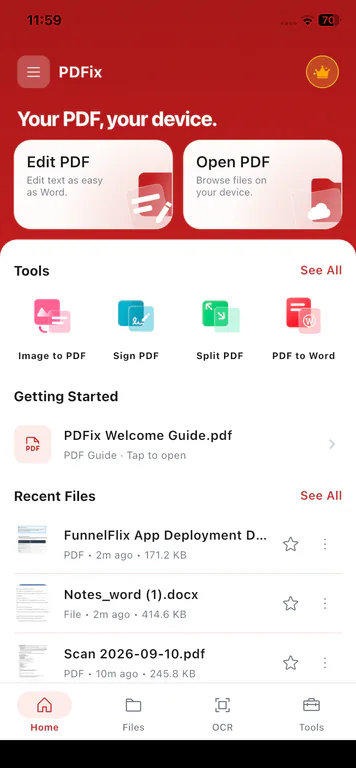
A complete PDF editor app for your phone

PDFix is a mobile PDF editor for iPhone, iPad, and Android. Edit text, sign, scan, organize, and convert PDFs on your device.

  • On-device processing
  • Free to download
  • iPhone, iPad & Android
  • 15 tools included

PDFix app preview

PDFix PDF editor app preview - edit, sign, scan, and convert PDFs on iPhone, iPad, and Android, on-device.

Video transcript: PDFix is a PDF editor app for iPhone, iPad, and Android. Open a PDF on your phone, edit text in place, add signatures, scan documents, and convert between PDF and Word. PDF tools process files on your device so documents are not uploaded to Cloud for editing, signing, scanning, or converting. Download free on Google Play and the App Store.

Core WorkflowsWhat You Can Do

What this PDF editor app can do.

Edit text, annotate, sign, scan with optional OCR, convert, and keep PDF processing on your phone - not uploaded to Cloud for tool operations. Compare PDF editor apps if you are still choosing a toolkit.

PDF Editor

Edit PDFs like Word docs.

Tap any text. Change it. Done.

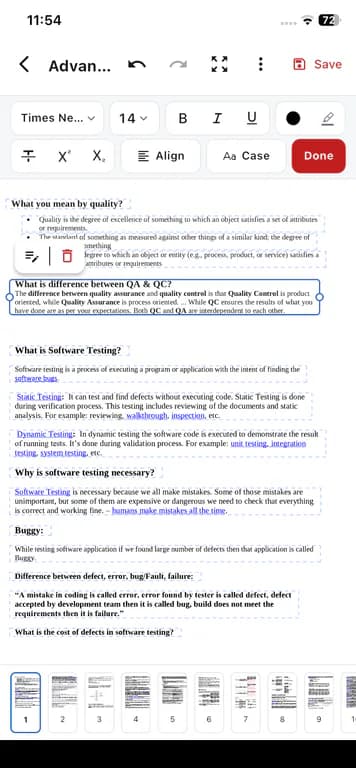
Modify existing PDF text in place directly on your phone. Adjust typography with bold, italic, underline, highlight, and custom fonts, or mark up documents with freehand drawing tools and vector shapes.

  • Edit existing text in place
  • Bold, italic, underline, highlight, font changes
  • Pen, highlighter, and eraser drawing tools
  • 8 vector shapes: line, arrow, rectangle, rounded rect, ellipse, triangle, star, and callout
Learn about editing PDF text

PDFix Edit PDF on mobile showing selectable text blocks and a formatting toolbar
Privacy ArchitectureOn-device

Your PDF, your device.

Files are processed locally on your phone.

PDF processing stays on the phone. Files are not uploaded to Cloud for edit, convert, scan, or sign. Sensitive contracts, invoices, and personal documents never leave your local hardware.

  • PDF tool operations run on-device
  • No file uploads to Cloud for edit / convert / scan / sign
  • Files saved in dedicated local tool folders
  • Subscriptions and ads may use the network; files stay local

Subscriptions and profiles can follow a signed-in account; PDF files themselves do not sync to the cloud.

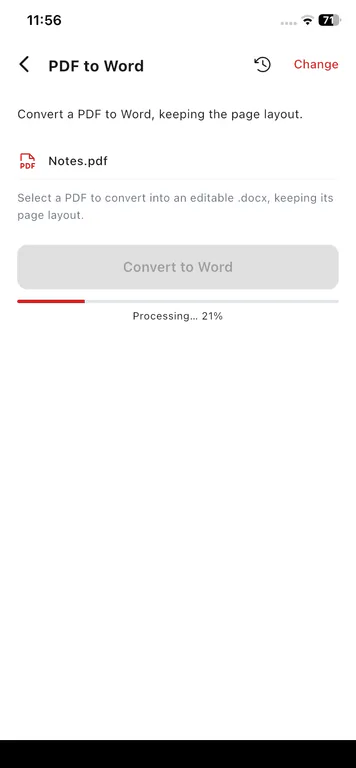
PDFix on-device PDF processing on mobile showing a local Convert to Word progress bar
PDF Editor

Add signatures by drawing, typing, or uploading.

Sign a PDF without printing it first.

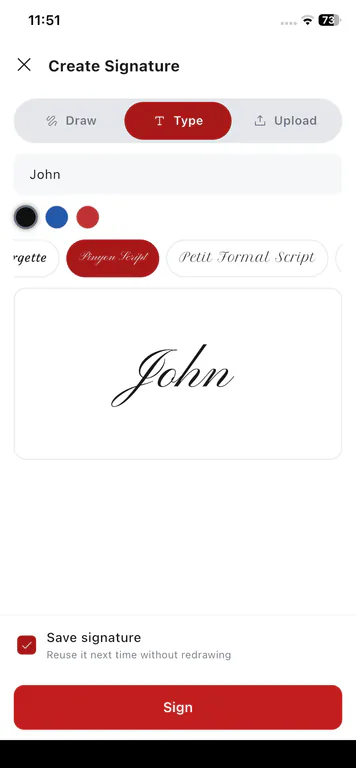
Add a signature to a form or agreement. Draw it, type it, or pick a signature image from your gallery.

  • Draw a signature with your finger
  • Type a signature and pick a font style
  • Upload a signature image from your gallery
  • Move and resize the signature on the page

Learn about PDF signing

PDFix Create Signature screen with Draw, Type, and Upload options on mobile
PDF Tools

Scan documents or import photos with optional searchable OCR.

Turn paper pages into searchable PDFs on your phone.

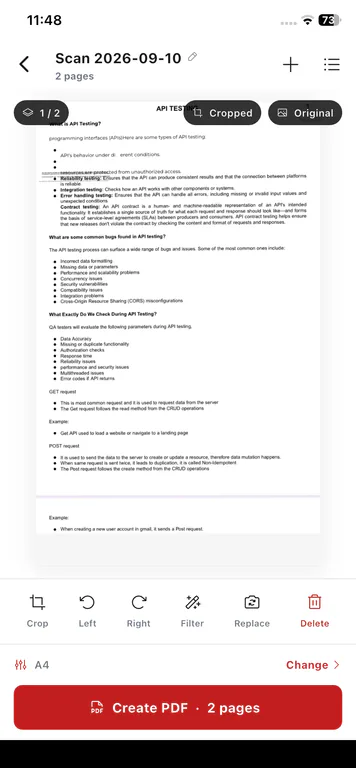
Capture paper with your camera or import photos from your gallery. Build a multi-page PDF, reorder pages, and optionally run on-device OCR so the text is searchable.

  • Camera scan or multi-photo gallery import
  • Multi-page review and page ordering
  • Optional on-device OCR for searchable PDF output
  • OCR tab opens this same Image to PDF flow

Learn about scan and OCR

OCR is a capability inside Image to PDF scanning. The app bottom-nav "OCR" is a direct shortcut into this workflow.

PDFix scan to PDF preview with crop, rotate, filter, and Create PDF on mobile
PDF Tools

Convert between PDF, Word (.docx), and text on device.

PDF to Word, Word to PDF, and PDF to Text on your phone.

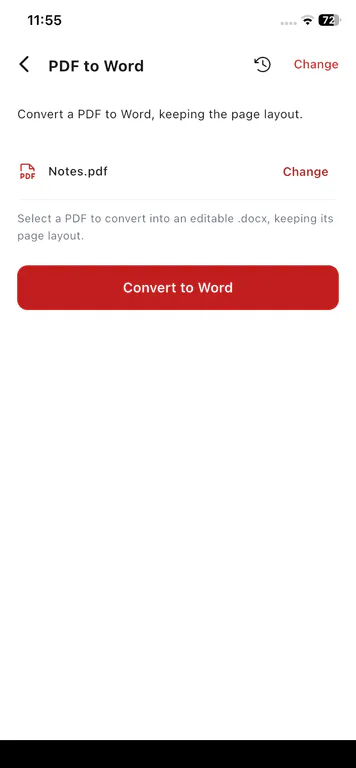
Convert PDF to Word (.docx) on your phone and keep the page layout where it can. Or pull plain text with PDF to Text. No cloud upload for the conversion.

  • PDF to Word (.docx), keeps layout when possible
  • Word (.docx) to PDF on your phone
  • PDF to Text for copy-paste
  • Runs on your phone. No third-party file upload
PDFix PDF to Word converter on mobile with a selected PDF and Convert to Word button
Tools15 in the app

Every tool in the PDFix app.

The same 15 tools as in the app: edit, sign, scan, convert, merge, split, organize, compress, protect, and open PDFs on your phone.

PDF Editor

· 2 tools

Directly modify text in place, format typography, draw annotations, and add electronic signatures.

  • Edit PDF

    Edit content & Add annotations

  • Sign PDF

    Add signature

PDF Tools

· 9 tools

Convert, compress, organize, create, merge, and split PDF documents locally.

  • Image to PDF

    Scan to PDF

  • Compress PDF

    Shrink size

  • Organize

    Reorder & rotate

  • Create PDF

    New document

  • Merge PDF

    Combine PDFs

  • Split PDF

    Extract pages

  • PDF to Text

    Extract text

  • PDF to Word

    Convert to .docx

  • Word to PDF

    Convert to PDF

PDF Manager

· 4 tools

Read PDFs without a daily limit, lock or unlock with a password, and print.

  • Print

    Device print

  • Lock PDF

    Lock with pass

  • Unlock PDF

    Remove password

  • Open PDF

    View document

On-device processing for every tool

Files never leave your phone during editing, scanning, conversion, or signing.

Download PDFix
How It Works4 Steps

How to edit, sign, and convert PDFs on your phone.

PDFix keeps every step on your device. Import a file, pick a tool, process locally, then save or share, with no cloud upload for PDF operations.

See the 15-tool PDF catalog or download PDFix for iPhone, iPad, and Android.

Free & PremiumStore billing

Free and Premium.

Start free with all 15 tools on your phone. Upgrade in the app for unlimited use and no ads. Billing goes through the App Store or Google Play.

Free tier

Download and start editing

PDFix is freemium. Use the mobile PDF editor app without a subscription. Free accounts can edit 1 PDF per day and use other PDF tools on up to 2 PDFs per day. PDF reading is unlimited. Premium is optional if you want to remove ads and lift the daily limits in the app.

  • Free to download on iPhone, iPad, and Android
  • All 15 tools available in Free
  • Free accounts can edit 1 PDF per day and use other PDF tools on up to 2 PDFs per day. PDF reading is unlimited.
  • Free tier includes ads; Premium is optional and turns ads off

Subscriptions are billed through the App Store or Google Play. The website does not charge your card. Auto-renewable. Cancel anytime in your store subscription settings.

  • Store-BilledSubscriptions are billed through the App Store or Google Play.
  • Cancel AnytimeAuto-renewable. Cancel anytime in your store subscription settings.
  • Restore PurchasesRestore Purchases is available in the app after reinstalling or switching phones.
  • No Web CheckoutThe website does not charge your card. No checkout or web fees.
Product Guide & FAQ

Frequently Asked Questions

Answers about Free vs Premium, on-device processing, and downloading PDFix for iPhone, iPad, and Android.

All questions

19 answers

PDFix is a freemium mobile PDF editor app for iPhone, iPad, and Android. It includes a full on-device toolkit to edit PDF text, annotate, sign, scan, convert, organize, compress, protect, and manage PDFs on your phone.

Have another question?

Email us if something in the app or your subscription is stuck.

Your PDF, your device.

Download the PDFix PDF editor app for your phone. Edit, sign, scan, and convert on device - Free to start, Premium optional.

  • Free to download on iPhone, iPad & Android
  • All 15 tools included
  • PDF processing stays on your device
  • Optional Premium: no ads, no daily limits

Optional Premium is available in-app. No account required to start.